The idea of a "smart home" can feel overwhelming when you first encounter it. Dozens of brands, multiple wireless protocols, and competing ecosystems all vie for your attention. But building a connected home does not have to be complicated or expensive. This guide breaks down the fundamentals and offers a clear path forward, specifically for those living in Hungary.
What Exactly Is a Smart Home?
At its simplest, a smart home is any dwelling where devices can communicate with each other and be controlled remotely, usually through a smartphone app or voice assistant. This ranges from a single smart light bulb you can dim from your phone to a fully automated system that adjusts heating, locks doors, and monitors energy usage without manual input.
The key distinction between a "smart" device and a regular one is connectivity. A smart thermostat connects to your Wi-Fi network and can be controlled from anywhere. A traditional thermostat only responds to the dial on the wall. That connectivity is what enables automation: devices can react to schedules, sensor data, or commands from other devices.
Understanding Smart Home Ecosystems
Before buying any device, it helps to understand the three major ecosystems that dominate the smart home market:
Google Home
Google's ecosystem is widely available in Hungary and works well for Android users. Google Nest speakers and displays serve as the hub, and the Google Home app controls compatible devices. Voice commands work in English, and Google has been steadily improving multilingual support.
Amazon Alexa
Amazon Echo devices are available through Hungarian online retailers and international Amazon stores. Alexa supports a very large number of third-party devices. While Amazon does not have a dedicated Hungarian storefront for Echo, the devices work well on Hungarian Wi-Fi networks with English language settings.
Apple HomeKit
Apple's ecosystem is the most restrictive but arguably the most secure. HomeKit devices require Apple certification, which limits the selection but ensures consistent quality. If you already own an iPhone and iPad, HomeKit offers tight integration through the Apple Home app.
Our recommendation for most Hungarian users: start with Google Home if you use Android devices, or Apple HomeKit if you are in the Apple ecosystem. Both have good European support and reliable device compatibility.
Wireless Protocols: What You Need to Know
Smart devices communicate using different wireless protocols. Understanding these helps you avoid buying devices that cannot talk to each other:
- Wi-Fi: The most common protocol. Devices connect directly to your router. Easy to set up but can strain your network if you have many devices. Works with any modern Hungarian ISP router.
- Zigbee: A low-power mesh network protocol. Requires a hub (like Philips Hue Bridge or Samsung SmartThings). Excellent for large numbers of sensors and lights.
- Z-Wave: Similar to Zigbee but uses a different frequency (868.42 MHz in Europe). Less common in Hungary but very reliable for home automation.
- Bluetooth: Short-range protocol, mainly used for initial device setup or nearby control. Limited range makes it less useful for whole-home automation.
- Matter: A new universal protocol backed by Google, Apple, Amazon, and Samsung. Aims to make all smart devices work together regardless of brand. Still in early adoption but represents the future of smart home interoperability.
Essential Smart Home Devices to Start With
You do not need to automate everything at once. Here are the most impactful devices to start with, ranked by practical value for Hungarian homes:
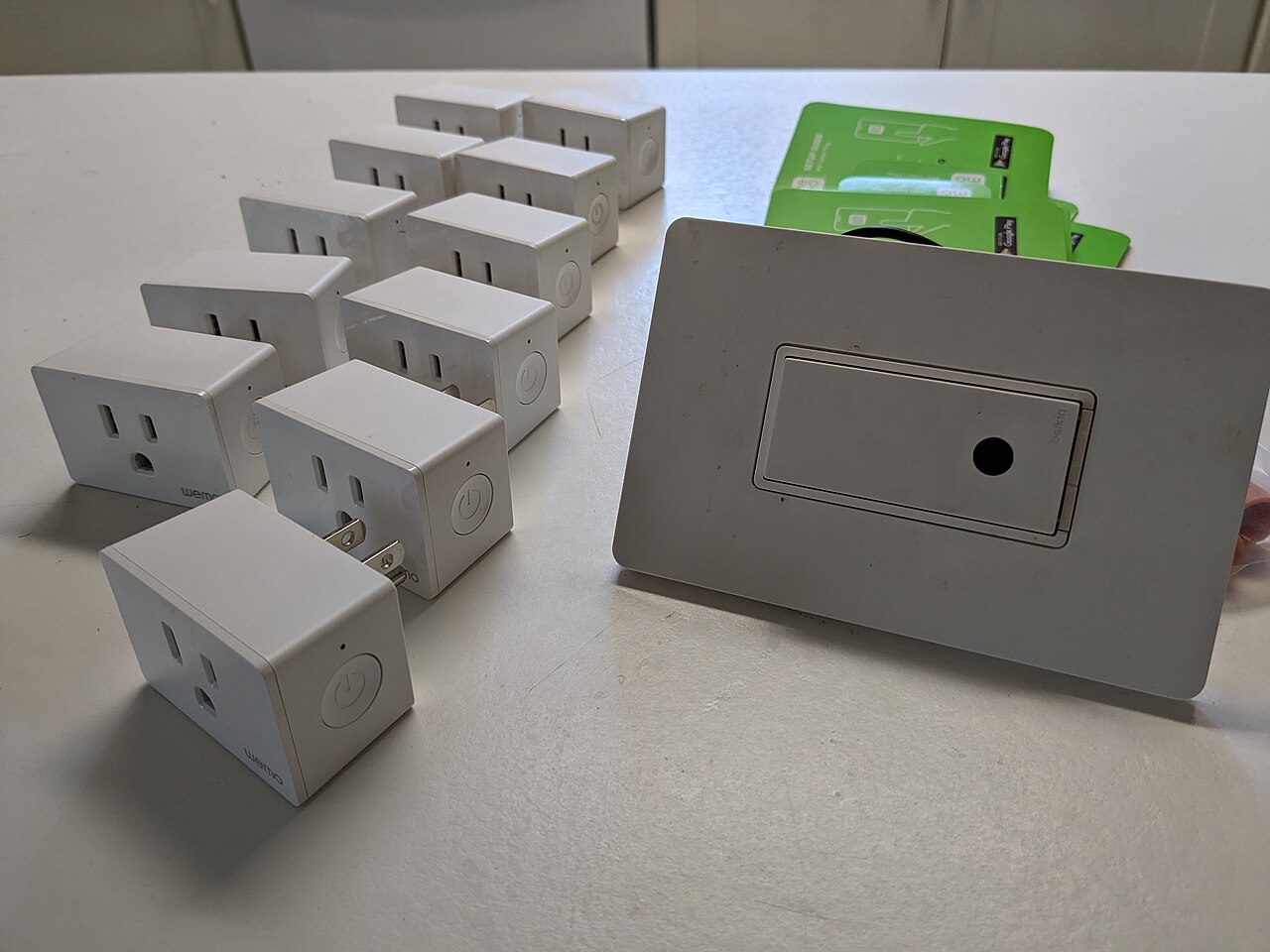
1. Smart Plugs
The simplest and cheapest entry point. A smart plug sits between any appliance and the wall outlet, making that appliance controllable via app or voice. Use them for lamps, heaters, fans, or coffee makers. Prices in Hungary start around 3,000-5,000 HUF per plug. TP-Link Kasa and Wemo are reliable, widely available brands.
2. Smart Lighting
Smart bulbs let you adjust brightness, color temperature, and even full RGB color from your phone. Philips Hue remains the gold standard (available through Hungarian electronics retailers), though more affordable options from IKEA (TRADFRI) and Xiaomi also work well.
3. Smart Thermostat
Heating is the single largest energy cost in Hungarian homes. A smart thermostat like the Tado, Netatmo, or Google Nest can reduce heating bills by 15-25% through intelligent scheduling and presence detection. See our detailed smart thermostat guide for more.
4. Smart Speaker / Display
A voice assistant hub (Google Nest Mini, Amazon Echo Dot) serves as the central control point for your smart home. It lets you control devices by voice, set timers, and create routines that automate multiple devices at once.
Planning Your Setup for Hungarian Homes
Hungarian housing has some specific characteristics that affect smart home planning:
- Panel apartments (panellakas): Thick concrete walls can weaken Wi-Fi signals. Consider Wi-Fi mesh systems or Zigbee devices that create their own mesh network through walls.
- Older wiring: Some older Hungarian homes lack grounded outlets (three-prong). Verify your outlets before buying devices that require grounding. An electrician can upgrade individual outlets relatively cheaply.
- Central heating: Many Hungarian apartments use district heating (tavfutes), which limits smart thermostat options. Look for smart radiator valves instead, which control individual radiators without modifying the central system.
- Electrical standard: Hungary uses Type C and Type F plugs at 230V/50Hz. Ensure any imported devices are compatible with European standards and carry CE marking.
Budget Considerations
A basic smart home setup in Hungary can cost as little as 30,000-50,000 HUF. Here is a realistic starter budget:
- 2 smart plugs: 6,000-10,000 HUF
- 1 smart speaker (Google Nest Mini): 15,000-20,000 HUF
- 2-3 smart bulbs: 8,000-15,000 HUF
- Total: approximately 29,000-45,000 HUF
This gives you voice control, app-based control, scheduled automation, and energy monitoring for your most-used appliances, all without any technical installation.
Common Mistakes to Avoid
- Buying before planning: Decide what you want to automate first, then choose devices. Random purchases often lead to incompatible products.
- Ignoring your internet speed: Smart devices need reliable Wi-Fi. If your connection drops frequently, fix your network before adding smart devices.
- Overlooking security: Change default passwords on every device. Enable two-factor authentication on your smart home apps. Keep device firmware updated.
- Over-automating: Not every task benefits from automation. Start with genuine pain points (forgetting to turn off lights, manual heating adjustments) rather than automating for the sake of it.
For broader context on smart home standards, the Connectivity Standards Alliance's Matter page explains the emerging universal protocol. The International Energy Agency provides data on energy-efficient heating technologies relevant to smart thermostat decisions.